



A website that gets traffic but no leads does not always have a design or content problem. Often, some visitors did send a form, call or book, but the message never reached anyone. It went to the junk folder, to an old inbox, to a voicemail nobody checked, or it was answered too late. Before spending more on ads or a new website, check that every enquiry reaches a person.
Two reasons a website brings no leads
Every enquiry goes through four steps. A visitor decides to contact the business. The website sends the message. The message arrives somewhere. Someone replies. If any step fails, the business gets no lead.
That gives two possible reasons for a quiet week:
- The visitor did not send anything. The page did not answer their question, the offer was unclear, or they were not the right audience.
- The visitor sent something, and nobody saw it. The message was lost between the website and the team.
Most marketing advice only covers the first reason. The second one is just as common, and it is harder to notice.
Both reasons look the same to the owner. The phone is quiet, the inbox is quiet, and the website report still shows plenty of visitors. The report counts people who visit. It does not count messages that arrive.
The two problems need different fixes. The first one is fixed on the website: clearer pages, a clearer offer, more proof. The second one is fixed behind the website: email settings, inboxes, phones and response times. If a business spends money on the wrong one, nothing changes. For example, paying for more website traffic does not help if one in five enquiries is lost. The business gets more visitors and loses the same share of their messages.
Why checking the website alone is not enough
It is not enough to check the headline, the form, the reviews and the page speed. These checks are useful. But they all assume that every message a visitor sends arrives safely. None of them checks what happened to the form that was sent last Tuesday.
The reason is simple: a lost message shows no error. When a visitor clicks "Send", the website shows "Thank you, we will be in touch". It shows this message in every case: when the email arrives, when it goes to junk, when it goes to an old address, and when it is not saved at all. The visitor waits, hears nothing, and contacts another business.
Website reports do not show this either. Tools like Google Analytics count page visits and, when set up correctly, the moment a form is sent. That number only shows that someone clicked the button. It does not show whether the message reached the team.
Why does a website get traffic but no leads? There are two possible reasons. Either visitors do not send an enquiry, or they send one and it gets lost before anyone sees it. To find out which, compare the number of forms the website recorded with the number of enquiries the team actually received. If the two numbers are different, enquiries are getting lost.
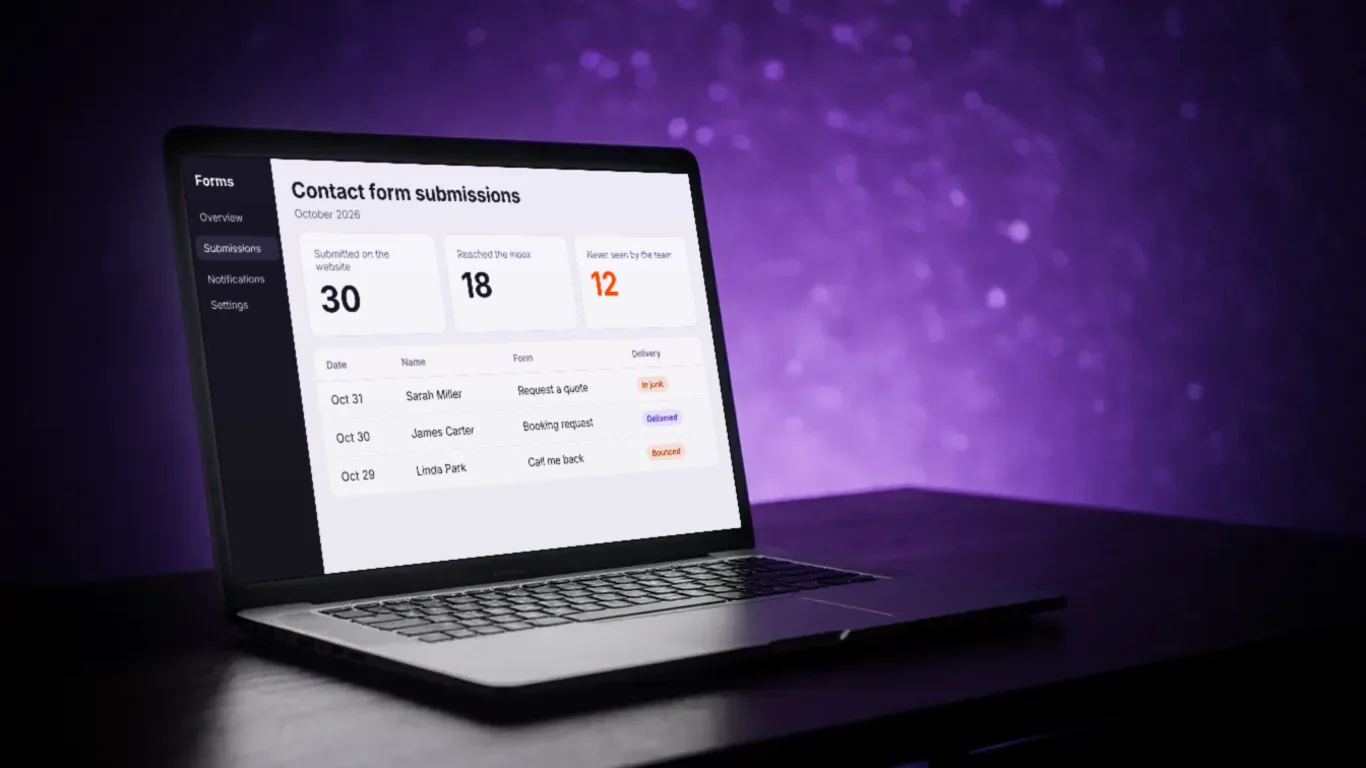
This comparison takes five minutes, and most businesses never do it. If the website recorded 30 forms last month and the team only received 18, the problem is not the website design. Twelve enquiries were lost after they were sent.
5 places enquiries get lost
These five problems appear often behind small business websites. None of them shows an error message, so each one can go unnoticed for months.
1. Form emails go to junk or are blocked
Most website forms send each enquiry to the business by email. Many forms send that email "from" the business's own email domain, but through the website's server. If the domain has not approved that server, Gmail and Outlook cannot confirm the email is real. To them, it looks like someone pretending to be the business.
Email providers have become strict about this. Google asks every sender to verify their emails with two settings called SPF and DKIM. SPF is a public list of the services that are allowed to send email for a domain. DKIM is a digital signature added to each email. Since May 2025, Microsoft sends unverified email from large senders to the junk folder, and it recommends the same checks for all senders, including small ones.
Why do website form emails go to spam? Usually because the form sends its email through a server that the business's domain has not approved. Gmail or Outlook cannot confirm the email is real, so they move it to junk, delay it or reject it. The fix is to add the form's sending service to the domain's SPF and DKIM settings.
Warning sign: a website enquiry sometimes shows up in the junk folder, or a customer says they sent the form and got no reply.
2. Form emails go to the wrong inbox
Forms are usually set up once, when the website is built, and then never checked again. The person who built the site chose the address the form sends to. Years later, that address may belong to an employee who has left. It may be a shared info@ inbox that nobody checks every day. Or it may forward to another address, and the forwarding stopped working when the business changed email provider.
In each case, the email is delivered correctly, but to a place where nobody reads it.
Warning sign: nobody on the team knows which email address the website form sends to.
3. Calls are not answered
For many service businesses, the phone is still the main source of leads, and the one where most leads are lost. In a 2016 study by 411 Locals, researchers called 85 small businesses over 30 days. 62% of the calls were not answered by a person. About 38% went to voicemail, and about 24% got no answer at all. The study is old and small, but the pattern still matches what many businesses find in their own call logs.
Voicemail does not solve the problem. A caller who reaches voicemail at 7 p.m. often does not leave a message. They hang up and call the next business on the list.
Warning sign: the phone system shows missed calls from numbers that never became customers.
4. The form shows "thank you" but saves nothing
Many forms do more than send an email. They also send the enquiry to a customer database, a booking calendar or an email list. These connections between two tools depend on logins and permissions, and those can expire. A password changes, a subscription ends or a software update changes how the tools connect. After that, the enquiry is no longer passed on.
A spam filter on the form can cause the same problem. Spam filters are useful, but a filter that is too strict can block real people, for example visitors on older phones or with strict privacy settings. Neither the visitor nor the business is told.
Warning sign: the website shows form submissions that are missing from the customer database, or enquiries suddenly drop to zero while visitor numbers stay the same.
5. The reply comes too late
This last problem is not technical, but it loses as many leads as the other four. An enquiry that waits until the next day is often already lost. In a 2011 Harvard Business Review study of more than 2,000 companies, those that replied to an online enquiry within one hour were nearly seven times more likely to qualify the lead than those that replied later. The study is from 2011, and customers today expect even faster replies.
People who send an enquiry often contact two or three businesses at the same time. The first business to give a useful reply usually gets the job.
Warning sign: nobody knows how long it takes, on average, to reply to a new enquiry.
Three common examples
The three examples below are illustrations based on the five problems above. They show how these problems look in a normal working week, and why they are noticed so late.
Enquiries in the junk folder
On a Monday, someone opens the junk folder to delete spam. They find four website enquiries from the last two weeks. Two are quote requests. One of those customers has already booked with another business. The other does not reply anymore. Nobody knows how many enquiries were in the junk folder the month before, because it empties itself after 30 days.
This is the most common example. The website worked, and the business did not know it had received the enquiries.
Form emails sent to a former employee
The website was built three years ago. The office manager at the time set the form to send to her own email address. When she left, her account was closed. Since then, form emails bounce back or go to an archived inbox that nobody can open. The website still shows "thank you" to every visitor. The owner only finds out when a customer mentions that they sent the form and never got a reply.
A missed call on Saturday
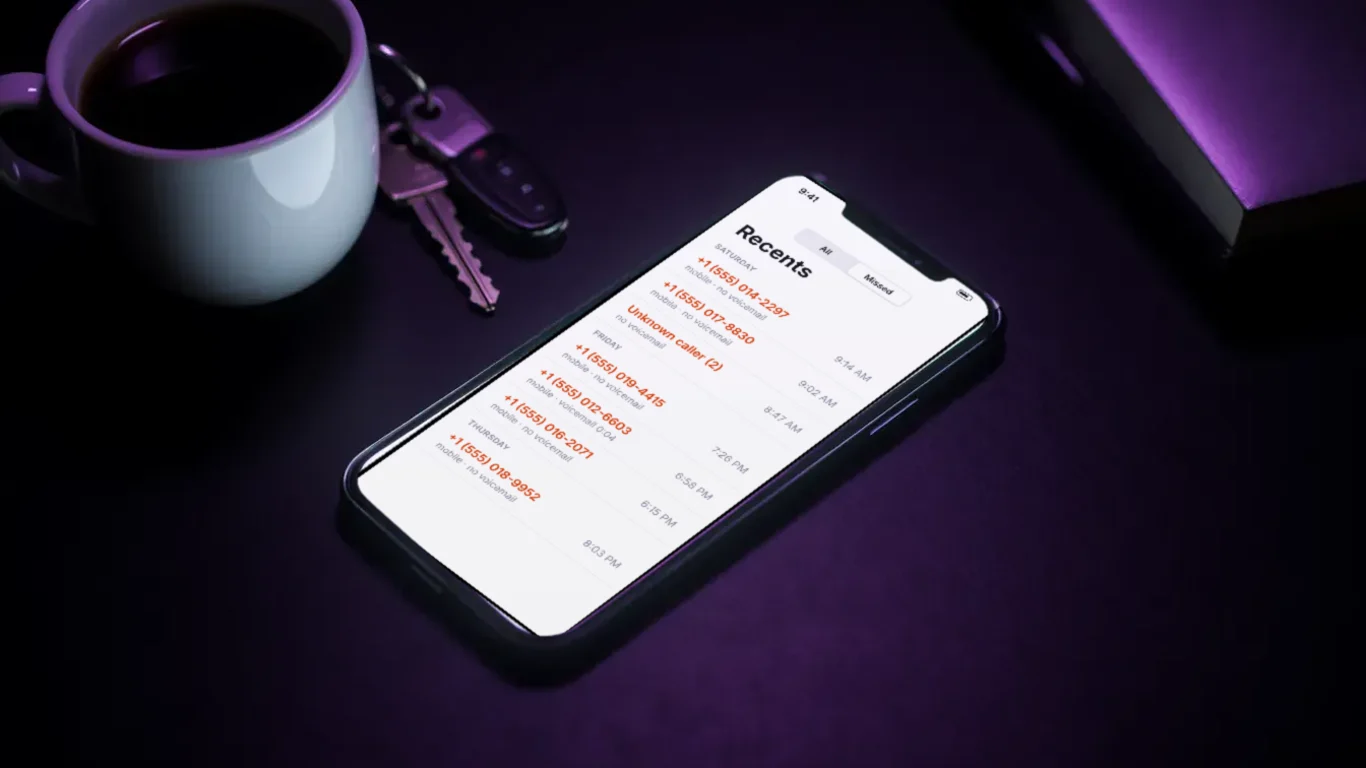
A customer has an urgent problem on a Saturday morning and calls three businesses. The first two go to voicemail. The third business answers, or sends a text within a minute saying someone will call back by noon. The third business gets the job. The first two only see a missed call from an unknown number, so they never know they lost a customer.
In all three examples, the owner thinks the website does not bring many leads. In reality, it brought more leads than the business received.
How to test your enquiry path in 20 minutes
How can a business check if its contact form is working? Send a test enquiry through every form on the website from an outside email address, ideally one Gmail and one Outlook address. Then check where each test arrived, how long it took and whether it reached the customer database. The "thank you" message on the screen does not prove anything. Only the email in the right inbox does.
The full test takes about 20 minutes. It only needs a phone and two personal email accounts. Do it as if you were a customer, without telling the team first:
- Send every form twice. Fill in each form once from a Gmail address and once from an Outlook or Hotmail address. Write down the exact time.
- Call twice. Call the number on the website once during opening hours and once in the evening. Write down what happened: answered, voicemail, text message or nothing.
- Make one test booking. If the website has online booking, book a test appointment and check that it appears in the calendar the team uses.
- Test the chat. If the website has a chat, ask a simple question and check whether a person sees it.
- Write down the results. For each test, note where it arrived (inbox, junk, database or nowhere), who saw it, and how long it took to get a reply.
The result is a short list with a clear answer for each channel. Most businesses find at least one problem the first time. Finding it in a test costs nothing. Finding it through a lost customer costs the job.
Repeat the test once a month, and every time something changes: a new website, a new email provider, a new phone system or an employee leaving. Most problems start after a change, as many businesses learn after a website relaunch.
How to set it up so enquiries are not lost
Fixing each problem one by one helps. A better approach is to set up the enquiry path so that problems are found quickly. A good setup has six parts, and none of them depends on someone remembering to check a folder.
1. Every enquiry is saved first. The form first saves the enquiry in one central place, usually a customer database (CRM), and then sends the email notification. If the email fails, the enquiry is still saved and can be found. The email is only a notification, not the only copy.
2. Form emails are verified. The domain's SPF and DKIM settings include the service that sends the form emails. Gmail and Outlook then accept them as real emails from the business.
3. Two people get each enquiry, and one is responsible. Every channel (form, phone, booking, chat) has one named person who replies, plus a second person who also gets the notification. A shared inbox without a responsible person is where enquiries wait the longest.
4. Missed calls get an automatic text. When nobody answers a call, the caller gets a short text message saying the call was received and when to expect a call back. This is one of the simplest automations a business can set up, and it stops many callers from calling the next business.
5. An alert is sent when enquiries stop. If no enquiries arrive for a number of days that is unusual for the business, someone gets an alert. A broken form is then found within days instead of months.
6. Reply time is measured. The business sets a target, for example a first reply within one hour during opening hours, and checks whether it is met.
When a simple setup is enough
Not every business needs a connected system right away. The right setup depends on how many enquiries arrive and how much each one is worth.
A simple setup is enough when the business gets only a few enquiries a month, each one is worth a small amount, and the owner reads every message personally. In that case, three steps solve most problems: set up SPF and DKIM for the domain, send form emails to an inbox the owner checks every day, and run the 20-minute test every month.
A connected setup is worth it when one or more of these is true:
- The business pays for ads, so every lost enquiry is money already spent.
- One job is worth more than a few hundred dollars.
- Enquiries come through several channels: form, phone, booking, chat and social media messages.
- More than one person handles enquiries, or the team changes often.
- Many calls come in outside opening hours.
The numbers are easy to check. If an average job is worth $800, and the business loses one enquiry a month that would have become a customer, that costs almost $10,000 a year. A setup that saves every enquiry, sends alerts and texts back missed calls usually costs much less.
There is also a common mistake in the other direction: adding new tools before testing the current ones. Adding a chatbot, a second booking tool and a new phone system on top of a path that already loses enquiries only creates more places where enquiries can get lost. Test first, fix what the test finds, and then add new channels.
Closing thoughts: test before you buy more traffic
When enquiries are low, the usual reaction is to spend more on marketing: more ads, more content or a new website. Sometimes that is the right decision. But often, visitors did contact the business, and their messages were lost.
The first step is a test, not a bigger budget. Twenty minutes of acting like a customer shows which channels work and which ones lose enquiries. After that, the fixes are clear: verified form emails, one place where every enquiry is saved, one responsible person per channel, an automatic text for missed calls, and an alert when enquiries stop.
When every enquiry is seen and answered quickly, every other marketing investment works better, because more visitors then lead to more customers.
FAQ


